
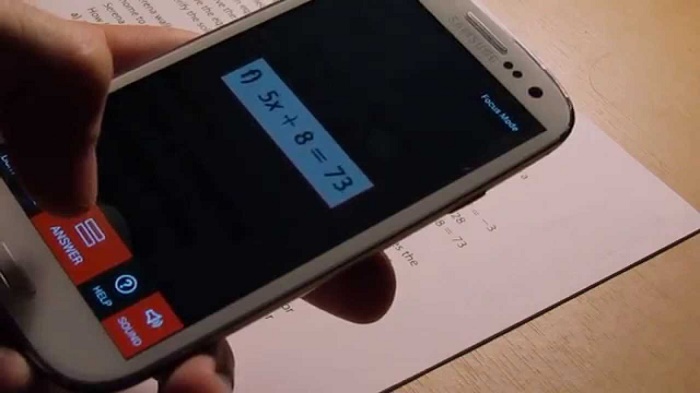
AutoMath is an Android application that solves mathematical formulas by taking pictures of them. Its functionality is simple and useful and can help in different ways: studying for exams, ensuring that exercises can be done or helping to verify calculations at work. This guide has everything you need to know how to Use Automath Apk.
How to use AutoMathapk
The first time you open the application, you will see a small tutorial with five steps. Although it is in English, it provides an overview of the program and its main features. Swipe from right to left until the guide reaches the end. On the last screen, click “Close” so that AutoMath can be used effectively.
Math operations android
The application displays a dialog box asking you which mode of mathematical exploration. The default value – and what we are going to use for now – is the “Triple Math.” It supports more complex formulas than “elementary mathematics,” but cannot read handwritten accounts.
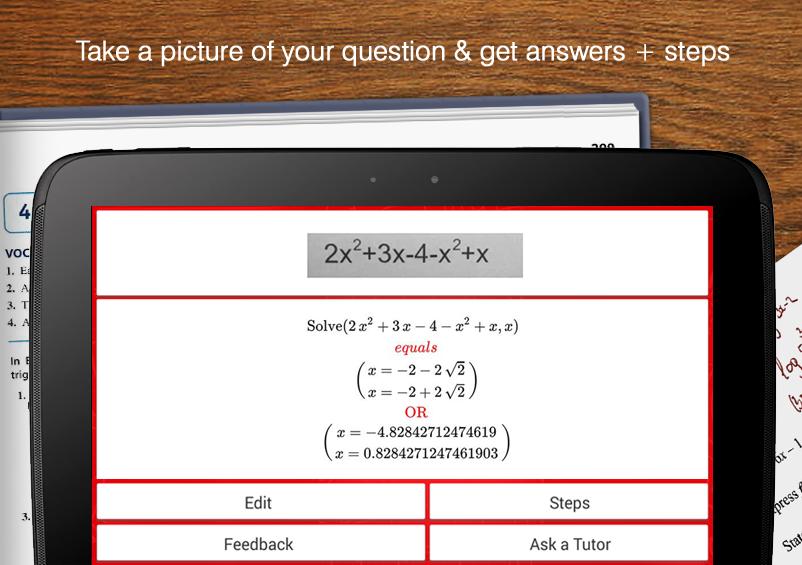
Doing accounts
The scanner screen shows a red rectangle in the center, into which the equation should be placed. You can adjust the size in height and width so that the account is adjusted as possible. AutoMath manages to capture typed calculations on paper or electronic displays, as used in the following example.
To obtain the result, you simply press the «Reply» button, which is already highlighted in red in the lower central part of the screen. The answer will be displayed as a print on the right (in this case, «-292»). If you wish to perform a new operation, the user must click on “New.”
On the left side of the «New» button in the «Edit.» It gives access to a calculator which can also be opened by clicking on the «Calc» button (next to the «answer»). This tool allows you to perform various tasks, such as unraveling the calculation steps to obtain the result.
Mathematical results
To do this, click on the arrow next to the mathematical operation and select “Steps” – this menu brings as a numerical expression, Show fractional value, options for copying or copying the answer equation appear. The steps in the account can be shared via Facebook, Google, and Twitter, or + Posted anywhere through the automatically generated link.
If you want to use the calculator in the traditional way, just click on the text field located at the top of the screen and enter the equation, press the equal sign then. The account and the answer will appear in the list along with the others, with the same functionality.
Elementary Mathematical Mode
As stated before, ” elementary mathematics ” can decipher handwritten accounts. But the functionality is still in the testing phase because the operations must be simple (only addition, subtraction, multiplication, and division). In this mode, the use of the light function is essential, because it will make the image sharper on the scanner.
The graph results are also important that the writing is strong, and the letter is good, preferably in capital letters. Numbers in the rows of the lined notebooks also hamper the operation of the program, making the error of the result report.